The first 3D layout tool made just for electrical rooms. No CAD seat, no training, no install — lay out gear, route conduit, check clearances, and print in your browser. Built for electricians, by an electrician.
Best on a computer for building — explore, view & share from any phone.
Anywhere your crew is
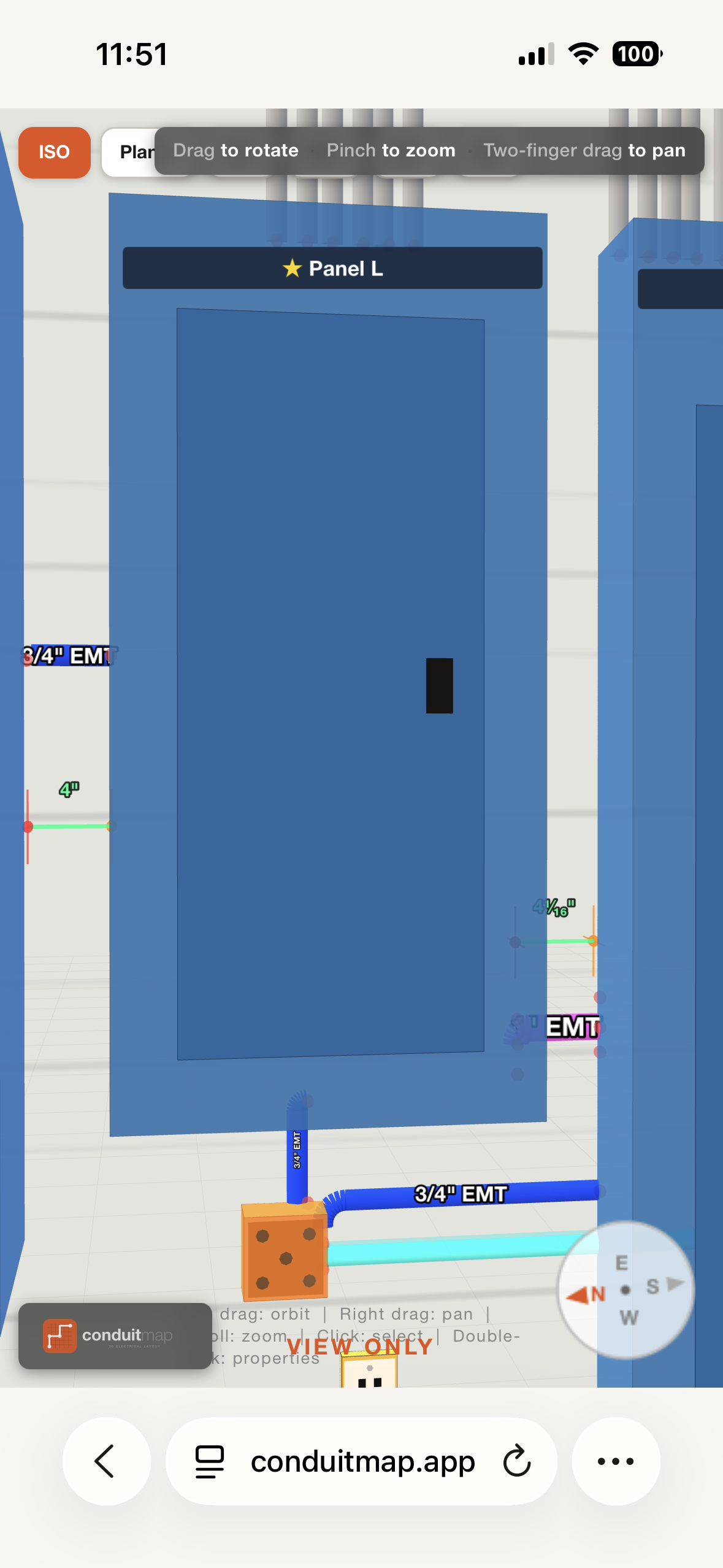
Open the room on any phone — no app, no signup.
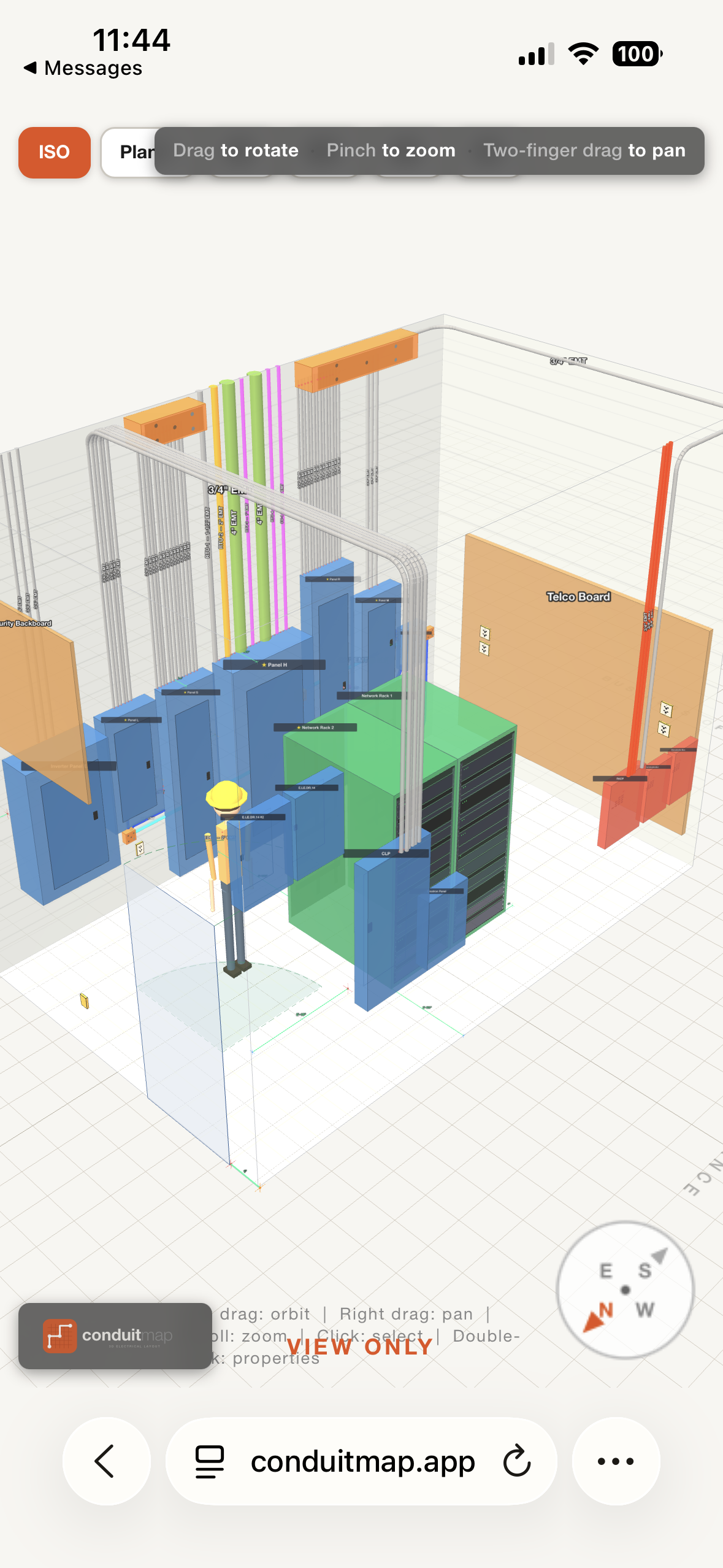
Mark a project public, copy the link, send it. Engineers, foremen, and apprentices open it in their browser and they're inside the room. Drag to rotate, pinch to zoom — works on iPhone, Android, tablet, or laptop.
Tap to share · no signup
Plan first, install second
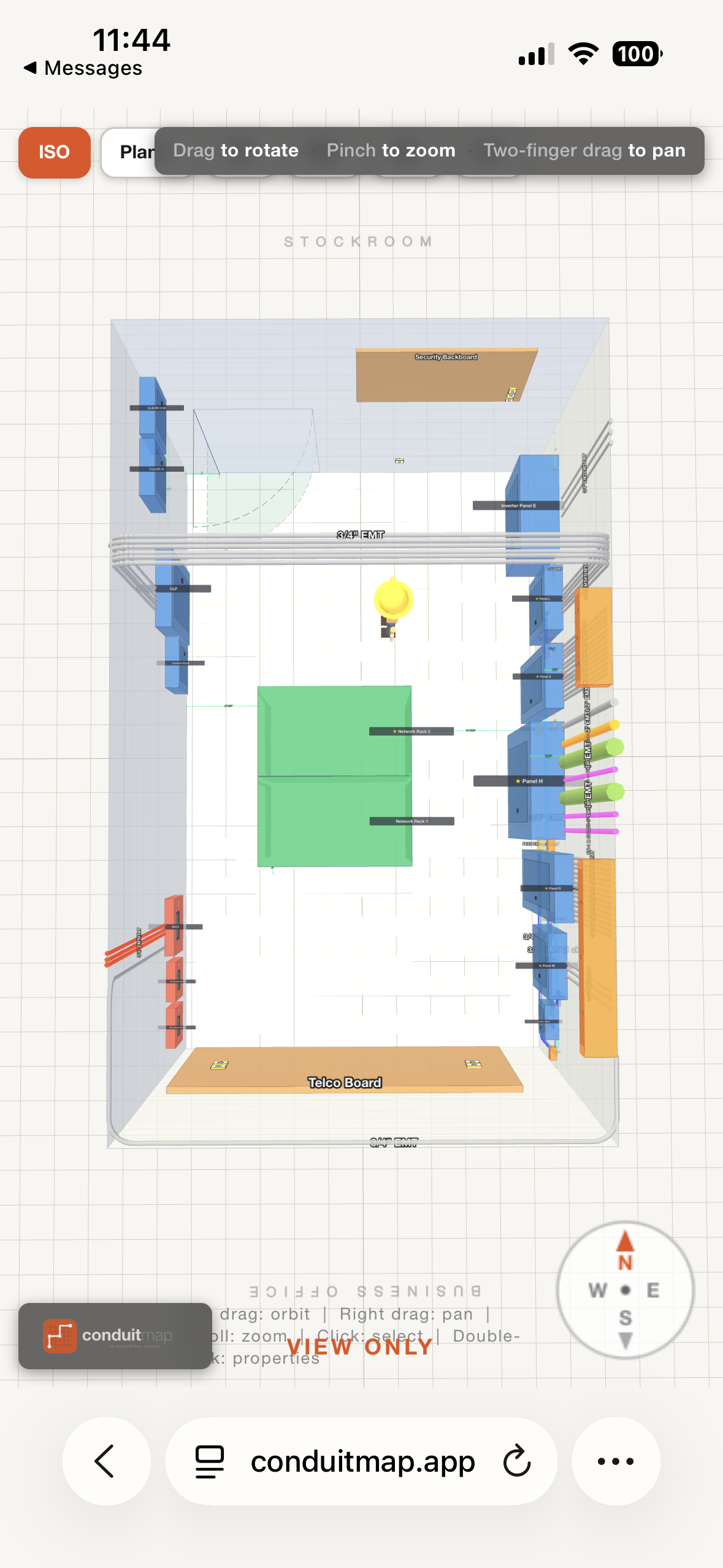
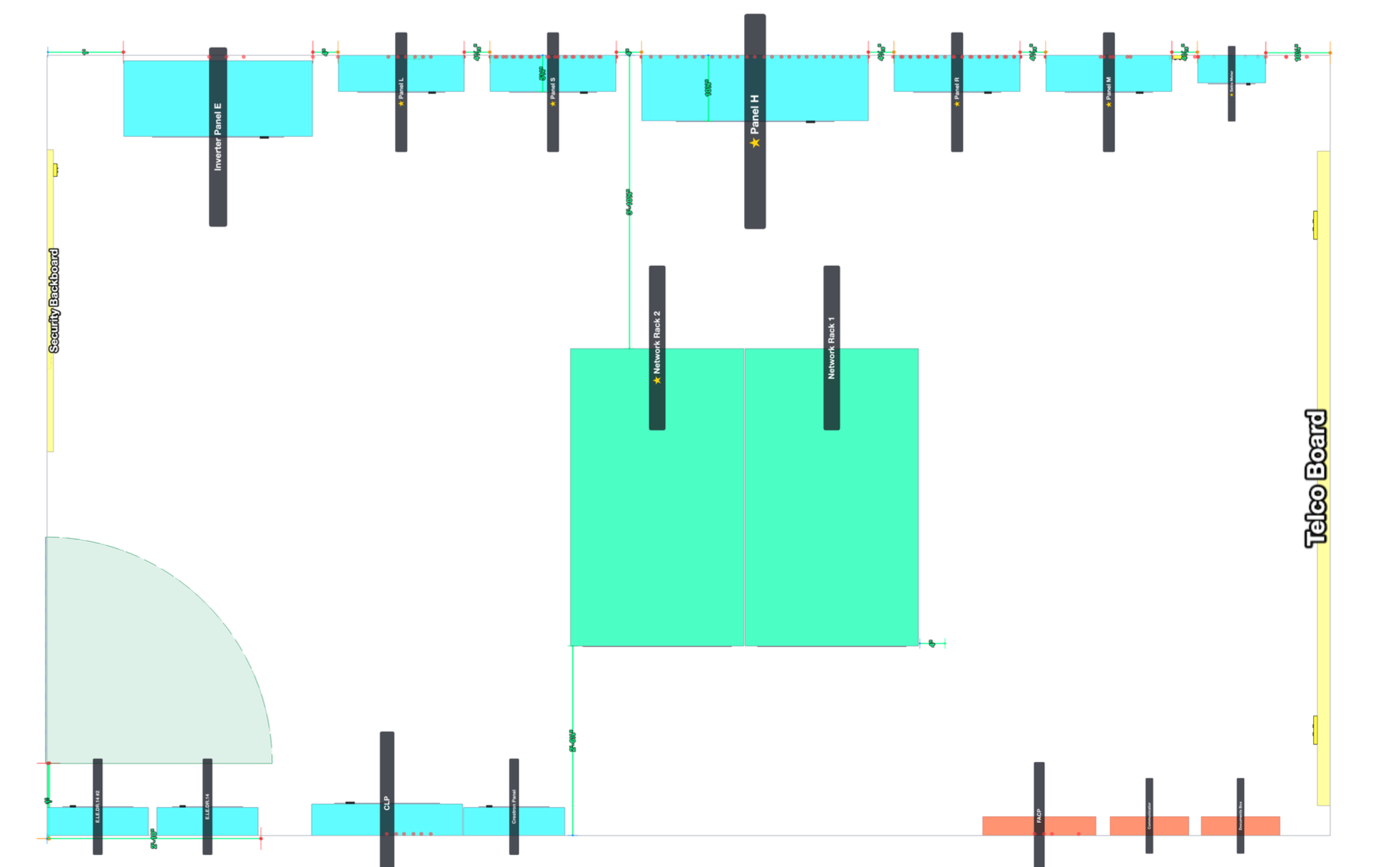
Print the top-down plan.
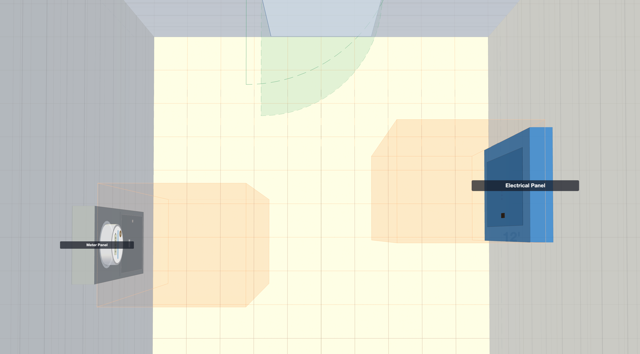
Top-down view of panel positions, door swings, and room dimensions. Print it, hand it over — the foreman can mark it up on site.
Plan view + dimensions
Every wall, every label
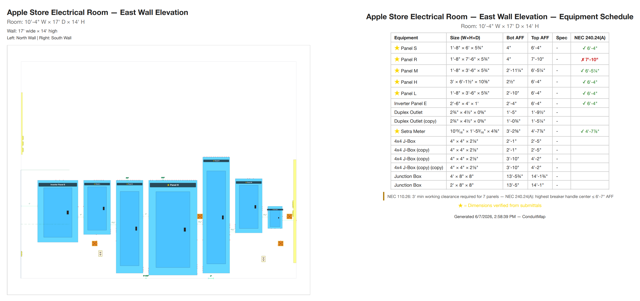
Hand the crew the elevations.
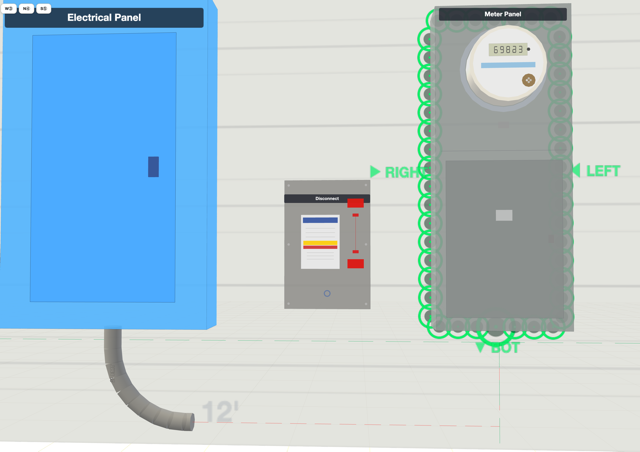
Wall elevations show equipment at the right height (AFF), conduit penetrations, and labels. Front view of each wall — the same thing the crew installs from.
AFF dimensions per wall
Every category, one interface
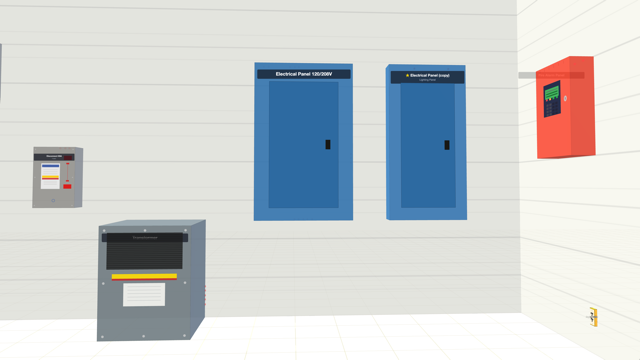
Snap equipment to the walls.
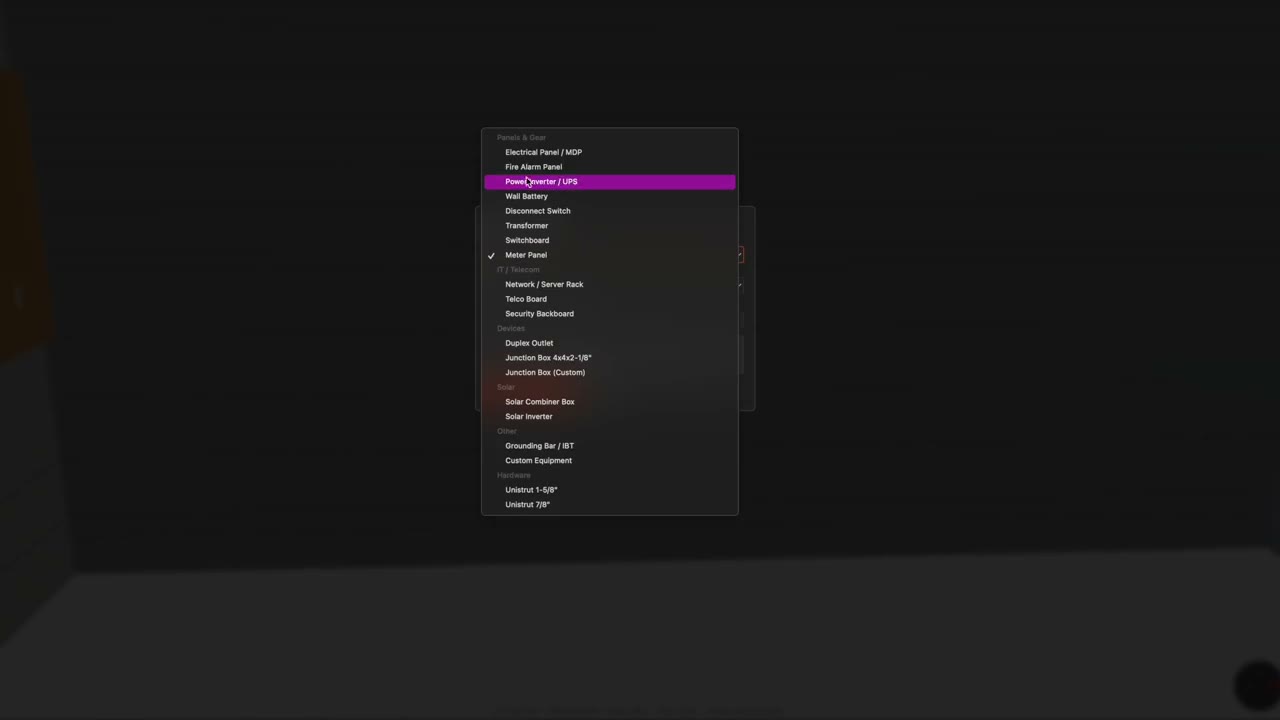
Panels, transformers, switchboards, meters, disconnects, FACP — every category snaps to the wall you picked. Knockouts track conduit fill automatically.
Knockouts track fill
Test five routes in five minutes
Route knockout to knockout.
EMT, Flex, Sealtight, PVC, IMC, RMC. The line snaps to the wall plane and tracks bends automatically — including the bend radius for each trade size.
Auto bend tracking
Catch it before the lugs are torqued
See clearances as you build.
Visual cues for common working-clearance scenarios. Local codes vary — always verify with your AHJ before installing.
36″ working space, visualized
Procurement-ready
The BOM builds itself.
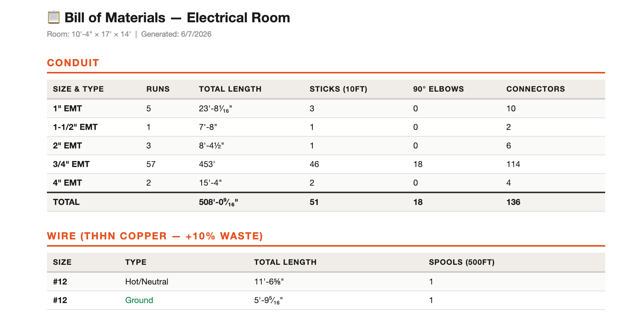
Conduit footage by type and size, equipment counts by category — pulled straight from the model. Hand it to the supply house. Nothing typed twice.
Generated from your model
Stop installing twice.
Every panel set in the wrong spot is a day your crew loses moving it. Every conduit crossover is wire you didn't have to buy. Here's what planning first actually saves you.
Real job, real numbers — see how ConduitMap caught the engineer's layout errors before rough-in. → Read the case study
Time isn't sold at the supply store.
Construction schedules are tight — there's no day to spare for a do-over. A panel relocation pushes drywall, pushes inspection, pushes every trade behind you on the critical path. Plan first, hit the handoff.
One install. Not three.
Catch clearance violations and tight fits in the model — not after the lugs are torqued. Set every panel where it belongs the first time, before the unistrut goes up.
Thousands in wages saved.
Electricians work in pairs. A 16-hour redo (two journeymen, a full day each) is thousands of dollars off your margin. Two redos on a $40K job and the profit is gone. Plan once. Install once. Bill the time once.
Shorter feeder runs.
Test five layouts in five minutes. Find the route that avoids conduit crossovers and trims dozens of feet off your homeruns — copper and labor saved at the same time.
Catch what the engineer missed.
Plans get drawn before submittals exist. The 800A switchboard that fits on paper shows up 4 inches wider. Verify the gear actually fits before the truck rolls.
Built for the way electricians think.
Electricians picture the room — not the floor plan. Skip the CAD training, the layer panels, the command line. Drag a panel, drop it on a wall, see it. That's the whole interface.
Justify the change.
Print the new layout, hand it to the engineer. "Here's what doesn't fit. Here's what does." A picture resolves in 90 seconds what an email thread can't in three days.
Train the next crew.
Walk apprentices through a finished room before the gear shows up. Print field measurements for them to replicate exactly. Cheaper than the third install, faster than the textbook.
swipe
Three steps to a finished room.
Set up the room
Width, depth, height. Door wall and swing. Plywood backing. Done in 30 seconds.
Place equipment
Drag panels and gear to the walls. Drop in knockouts. Code clearances drawn live.
Route & print
Connect equipment with conduit. Generate elevations and plan views. Send to the field.
Pricing.
30 days free. Then $24.99/month if it's saving you time.